
Extract audio from video on Mac with Mew Cut
Mew Cut extracts audio from video or audio files on your Mac. Everything runs on the device, you can process files in batches, and originals stay untouched.
How to extract audio on Mac
-
Open the “Extract Audio” tool in the sidebar
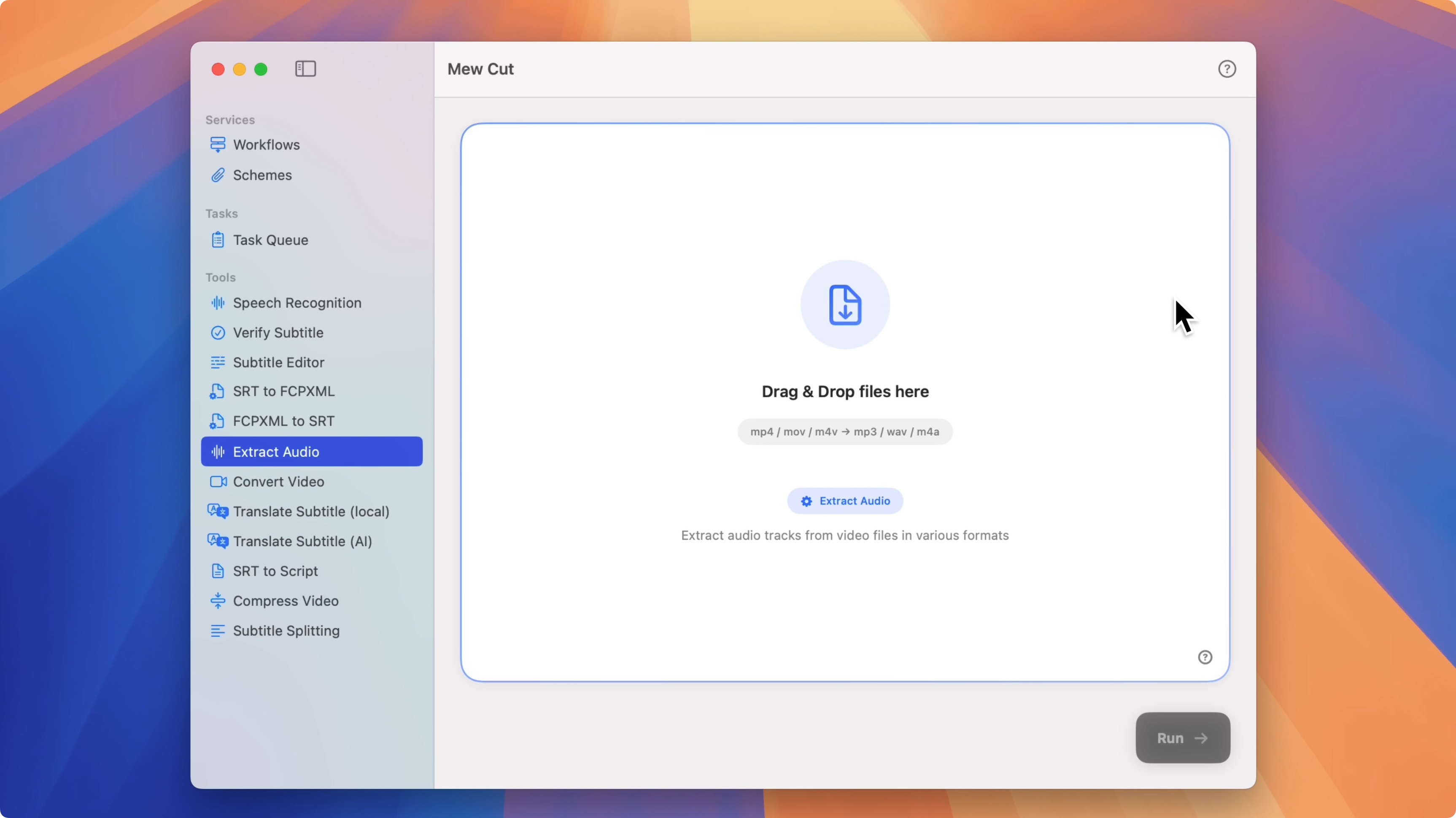
-
Drag in the files you want to extract audio from
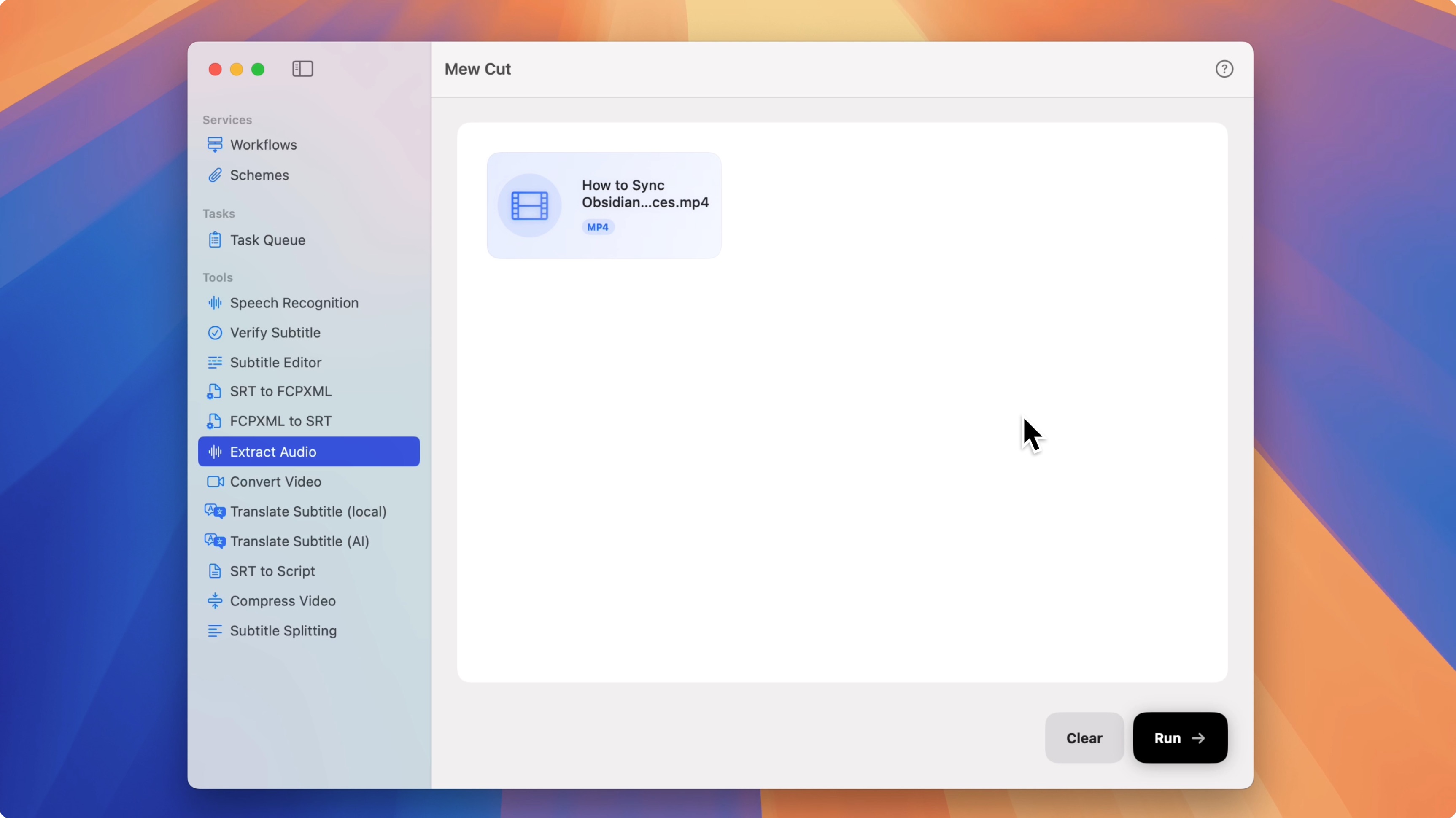
-
Click Start and wait for processing. Exported audio files will appear in the Task Queue
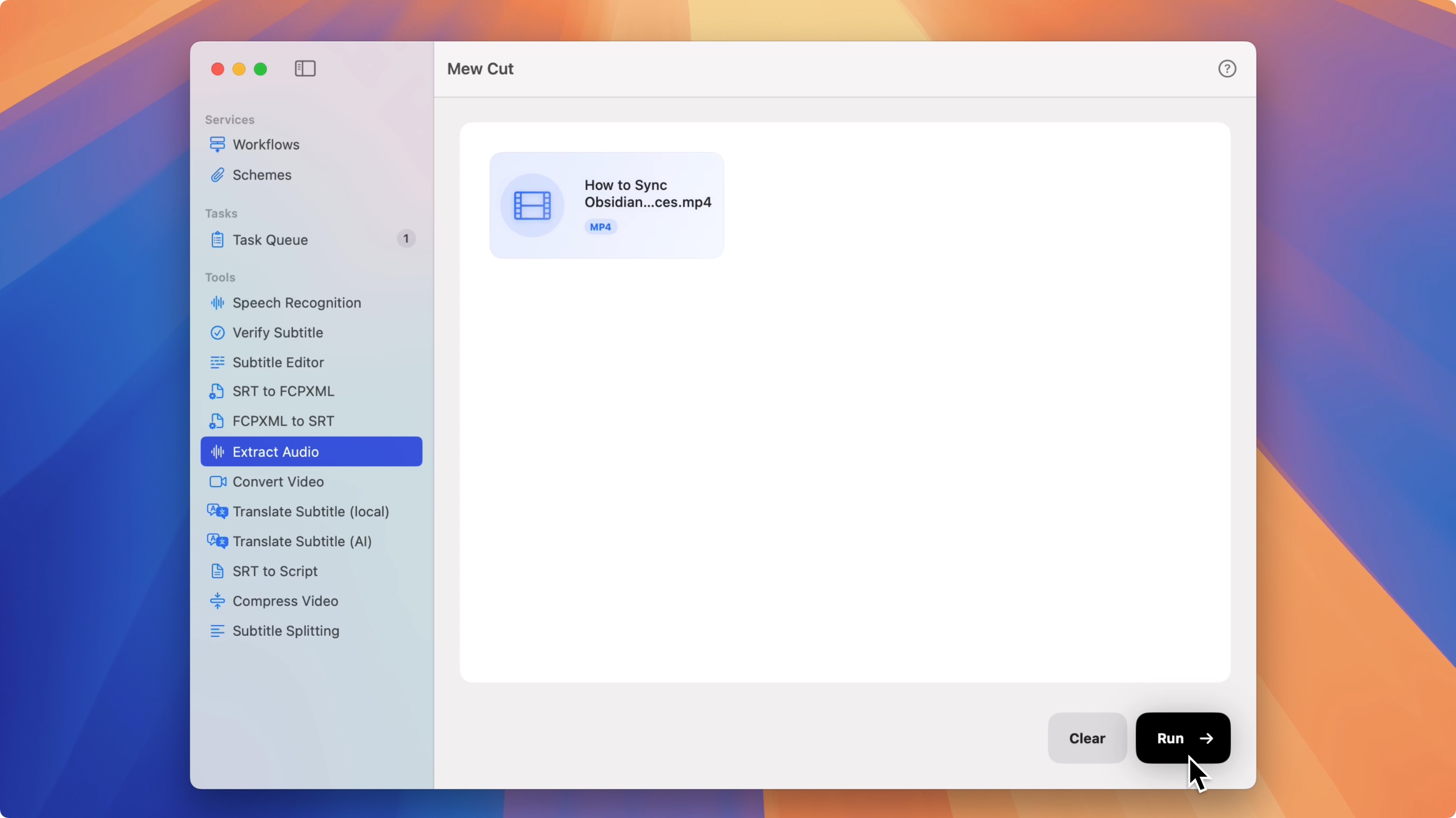
What you get
- Runs locally on your Mac; nothing is uploaded
- Batch multiple files in one go
- Original files are not modified
- No extra setup required
Tips
- Drag in a batch when you have many files to extract.
- Works offline, so you can process without a network connection.
FAQ
-
Does it work offline on Mac?
Yes. Audio extraction runs locally on macOS. -
Can I extract audio from multiple videos at once?
Yes. Drag in multiple files to start batch extraction. -
Will my original files be changed?
No. Mew Cut does not modify your originals.