
After voiceover recording, subtitles first, visual rough cut for flubs and pauses
Voiceover rough cuts often stall on search, not on the cut itself. Which line flubbed. Which breath runs long. Which sentence you said twice. You can drop the full take on a Final Cut Pro timeline and listen from the top. On a long read, most of the time goes into scrubbing before anything gets deleted.
One common approach is to generate subtitles first, then cut against the text and waveform. Flubs show up as words. You do not have to hunt by ear from the top. Export a cleaner clip for fine-cutting in your NLE, and leave the source file intact.
Visual rough cut
The order is roughly this. Recognize the video or audio into subtitles, segment if needed, open a subtitle editor, edit against the waveform, mark pauses and flubs, delete, then export edited audio or video.
If you mainly rough-cut voiceover on the Mac, Mew Cut keeps recognition, the Subtitle Editor, and export in one app. The steps below use Mew Cut. It is a Mac app for subtitle and voiceover work. Speech recognition runs locally. Rough cuts happen in the Subtitle Editor.
Run “Quick Subtitles for Rough Cut”, or use speech recognition and segmentation on your own. When the task finishes, open the Subtitle Editor from the task. If the main output is SRT, you can open from the task directly.
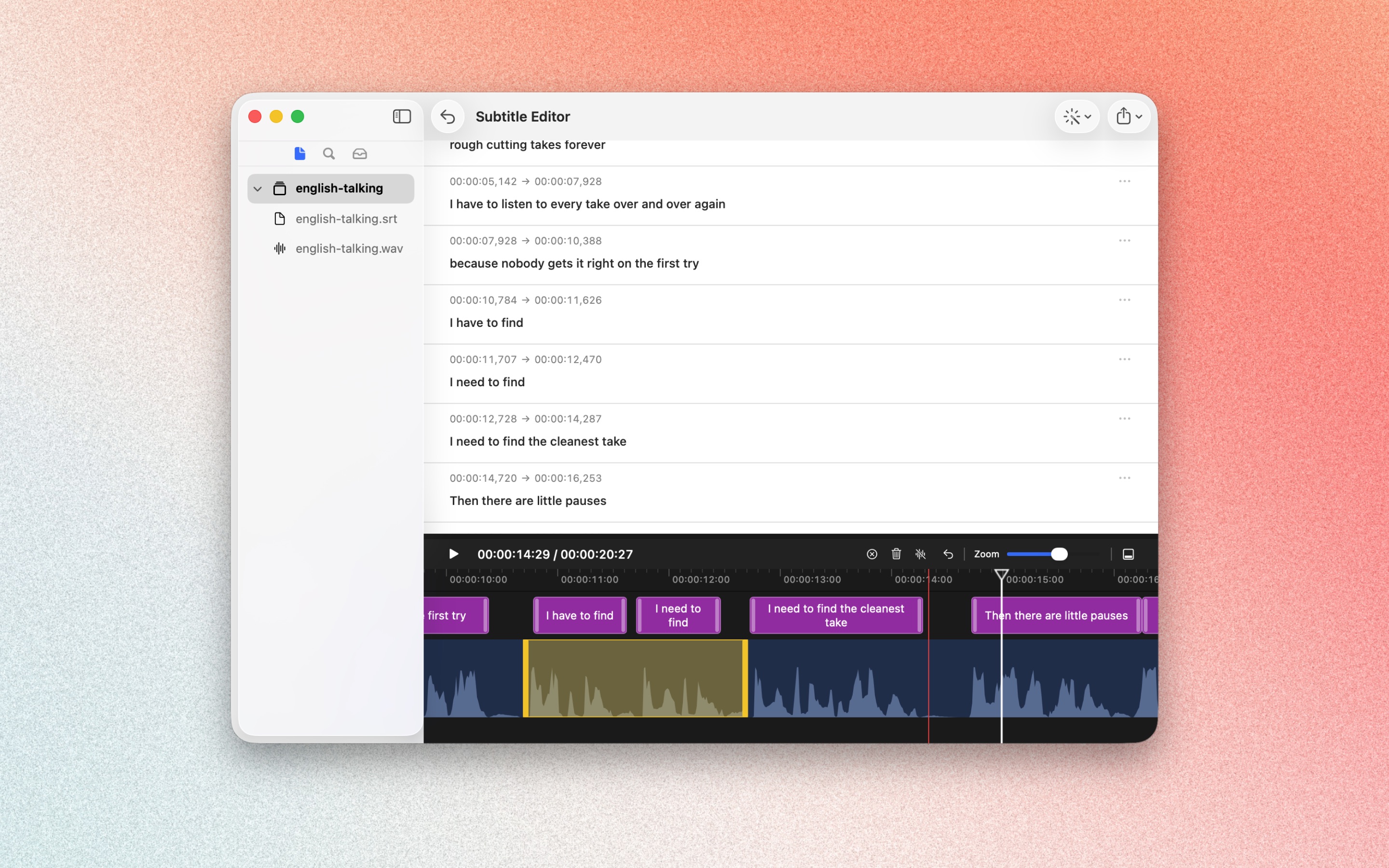
Subtitles, timeline, and waveform stay in sync. Edit text and timing, then use Quick Actions → Find Cut Ranges to mark pauses, flubs, and repeats. Delete the selection, then export edited audio or video. The source file is not modified. The picture in the editor is preview only.
For multiple groups or full shortcuts, use the Subtitle Editor in the main app.
Follow Script Recording
If you have not recorded one long take yet, Follow Script Recording in Mew Cut lets you record group by group. Paste the script or drop a txt file, finish a group, tap next, and re-record only the group that failed. Takes line up in script order. You can audition, tidy, and export audio.
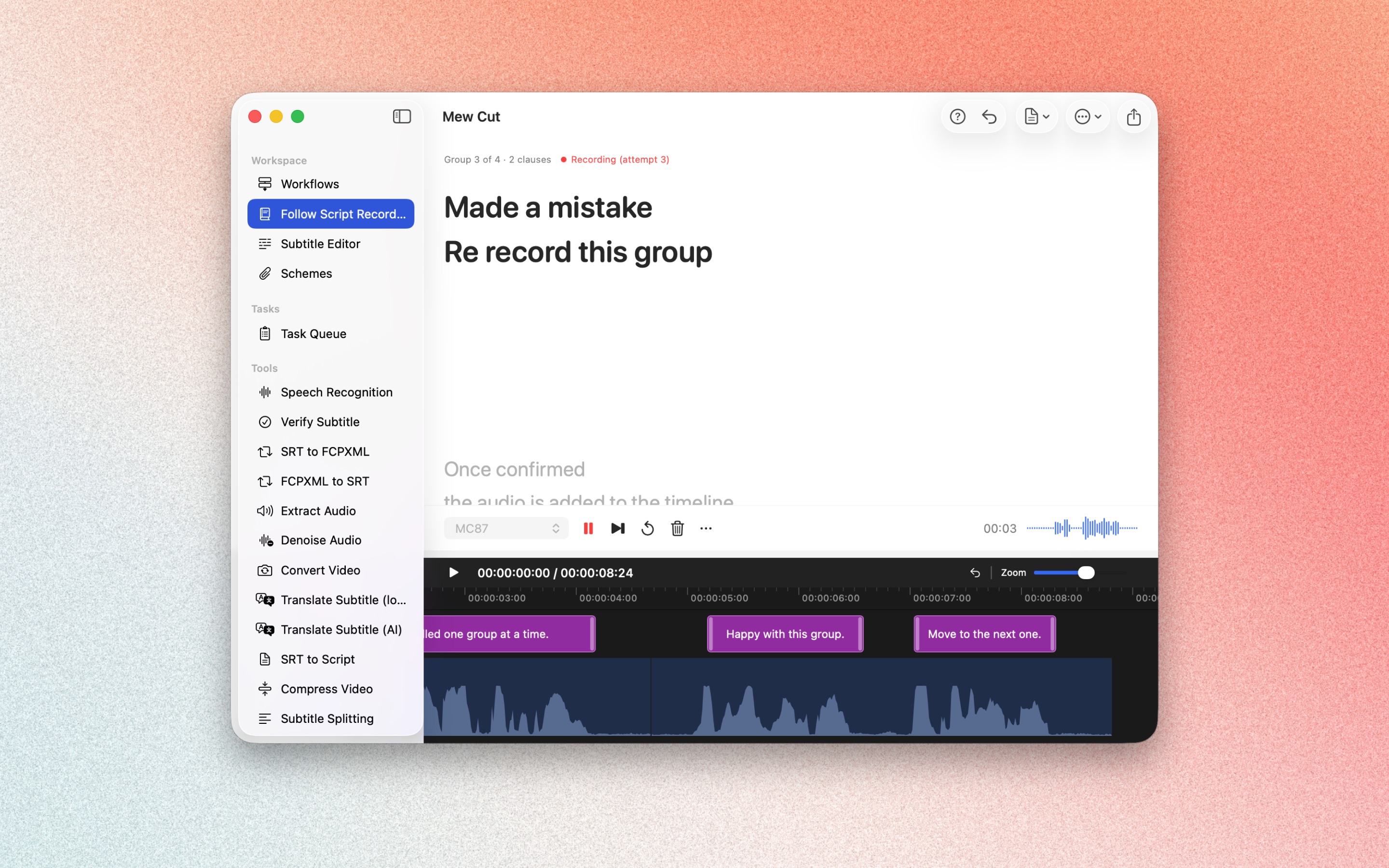
Follow Script Recording fits slips while recording. After recording, you can still generate subtitles and rough-cut visually in the Subtitle Editor.